
- Set item master data carefully: inventory, sales, and purchasing units serve different purposes, and the valuation method controls how stock is costed.
- Goods Receipt and Goods Issue adjust inventory. A transfer request plans and commits a move; an inventory transfer records the move.
- Bin locations add detail inside a warehouse, and need a usable code structure and clear receiving and picking practices.
- Available = In Stock - Committed + Ordered — a planning figure, not a physical count or a guarantee that stock is pick-ready.
- Inventory counts record what people find. An Inventory Posting is the document that applies an approved difference.
- Landed costs allocate import charges to inventory value without adding quantities.
What the inventory module actually manages
The inventory module in SAP Business One is more than a warehouse balance: it connects item records to transactions and, in a perpetual inventory company, to accounting entries. A receipt increases stock and value; a delivery or goods issue reduces stock at valuation cost; a transfer moves stock between warehouses.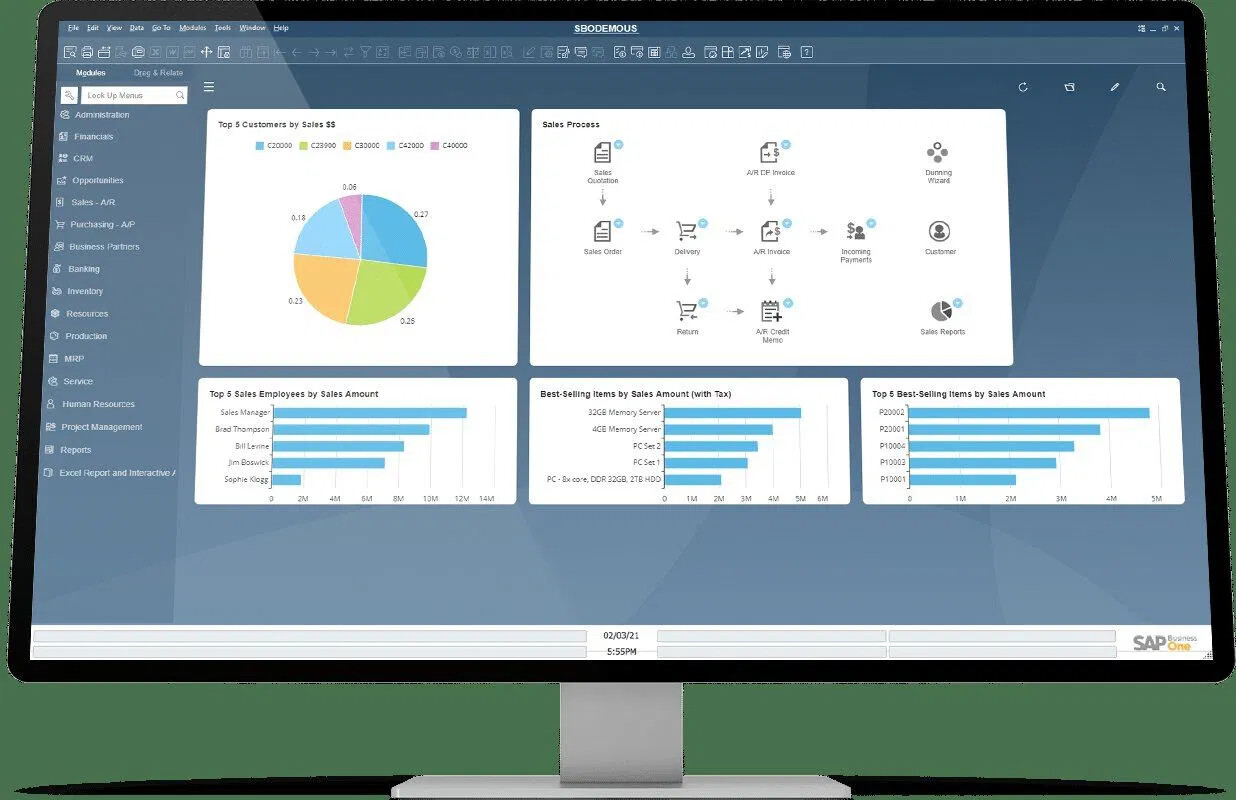
That connection means transaction choices matter: a document entered to "fix the number" can change financial records as well as quantities. When operations and finance review inventory together, they should agree on which number they mean — physical count, system on-hand, available quantity, or inventory value.
Inventory figures should be traced back to the item, warehouse, and transaction records behind them.
Start with the item master: units, valuation, and issuing
Each inventory item has an Inventory UoM: the unit SAP Business One uses to track stock. Sales and purchasing units can differ, with conversions defined in units-of-measure groups. You might buy an item by the case, store it as units, and sell it by the pack — the conversion must reflect how your business receives, stores, and sells it, or correct-looking transactions will produce confusing quantities.
- Inventory UoM: The unit underlying inventory quantities.
- Sales and purchasing UoM: The units used on customer and vendor documents, converted into the inventory unit.
- Valuation method: In a perpetual inventory setup, Moving Average recalculates average cost as stock is received; Standard uses a set cost and records differences separately; FIFO values issues through open cost layers. The right choice depends on your accounting policy — confirm it with finance before posting.
- Issue method: Manual or Backflush controls how components are issued in production — not the same thing as the bin-location picking rule for a warehouse delivery.
Do not treat those fields as harmless defaults: SAP's documentation notes a valuation method generally can be changed only when the item has no in-stock quantity and no open documents, and perpetual inventory settings require planning before transactions post. Review the SAP perpetual inventory guide with your accounting partner first.
Warehouses and bins: make the map match the floor
A warehouse is the inventory location used on document lines. If you use bins, bin locations identify where quantities sit within that warehouse. A useful location code — warehouse, zone, aisle, rack, shelf — helps a person find a product without the system open.
Bin setup can support default locations, receiving bins, and automatic allocation rules. A receiving bin serves as a temporary receiving or inspection spot; a later transfer moves the item to its storage bin. Skip the physical receiving step, and the bin map quickly diverges from reality.
Before enabling bins, settle where a receipt goes first, who moves it from receiving to storage, which bins can hold each item, and how pickers choose among multiple bins.
Receipts, issues, and transfers are not interchangeable
A Goods Receipt adds stock; a Goods Issue removes it. Purchasing receipts such as a Goods Receipt PO belong to the purchasing flow, with their own document context. Use the document that reflects what happened, not the one that merely changes a number.
An Inventory Transfer Request records an intended move between warehouses: while open, the quantity counts as committed at the issuing warehouse and ordered at the receiving one. It does not, by itself, move stock.
An Inventory Transfer records the movement: the quantity leaves one warehouse and enters another, and in perpetual inventory the transfer can also create journal entries between warehouse inventory accounts. In plain terms: the request reserves the plan; the transfer records the move. SAP's transfer lesson explains the distinction.
The quantities that trip people up
The item master shows quantities by warehouse. The basic relationship is:
Available = In Stock - Committed + Ordered
- In Stock is the system's on-hand quantity.
- Committed is stock reserved for demand: sales orders, production components, open transfer requests.
- Ordered is expected supply: purchasing or production quantities not yet received, or a requested inbound transfer.
- Available is the calculated balance after commitments and expected supply.
Say the system shows 44 In Stock, 12 Committed, and 8 Ordered: Available is 40 (44 - 12 + 8). That 40 is not a physical count. If a shelf count finds 38, two separate checks follow: why the physical quantity sits six below system on-hand, and why the available figure includes eight expected units.
The availability check and Available-to-Promise (ATP) report assess demand and supply by warehouse and date — they support a decision, but never prove an item is in a picker's hands. See SAP's availability-check explanation.
Counts, cycle counting, and the adjustment decision
An Inventory Counting document records the count process and results. You can assign counters, compare independent counts, count by bin where applicable, and review discrepancies. Cycle-count settings schedule items for regular counting, instead of waiting for an annual exercise to uncover months of missed moves.
A count document is not itself the adjustment: once reviewed and approved, the difference is copied to an Inventory Posting document, which records the inventory change and its financial effect. If the shelf says 38 and SAP says 44 in stock, investigate before posting: Was a delivery entered late? A transfer request mistaken for a completed move? Stock placed in a different bin? A document entered in the wrong unit?
A recount may reveal an error an adjustment would only hide. SAP's inventory counting lesson walks through counting and posting differences.
Revaluation and landed costs: quantity is not value
Inventory revaluation changes inventory value, not quantity: a price-change revaluation updates cost across the on-hand quantity, while an inventory debit/credit revaluation changes value and recalculates cost. These are accounting-sensitive — use them to correct valuation under an approved process, never to make a quantity discrepancy disappear.
For imported goods, landed costs allocate customs, freight, insurance, and similar charges across items, based on factors such as value, quantity, weight, or volume. Configured to affect inventory, they adjust item value — the landed-cost document never adds units to stock. SAP's landed-cost process guide describes the process and accounting setup.
A practical setup check
Before relying on SAP Business One warehouse management, walk a real item from purchase to pick:
- Confirm inventory, purchasing, and sales units and their conversions.
- Verify the item's valuation method and issue method with finance and operations.
- Map warehouse and bin codes to the real floor, including receiving and inspection locations.
- Test a purchase receipt, bin allocation, transfer request, completed transfer, sales order, and goods issue.
- Compare on-hand, committed, ordered, and available quantities with the documents that create them.
- Run a count, investigate a difference, and review the Inventory Posting before adding it.
Our SAP Business One work starts with how your operation actually receives, stores, moves, counts, and values inventory — the goal is a system your warehouse team can trust and your finance team can explain.
Frequently asked questions
Does SAP Business One inventory management show physical stock?
It shows the quantity recorded by inventory transactions. To verify physical stock, count it and record the approved difference through inventory counting and posting.
What is the difference between Available and In Stock?
In Stock is the system's on-hand quantity. Available is In Stock minus Committed plus Ordered — it includes reservations and expected supply, so it is not a shelf count.
Does an inventory transfer request move stock?
No. An open request plans the move and affects committed and ordered quantities; the Inventory Transfer records it.
Do landed costs change inventory quantity?
No. Landed costs allocate eligible import expenses to item cost or other configured destinations — they affect valuation, not quantity.
Talk through your inventory setup
If you're setting up bins for the first time, or reconciling what the shelf says with what SAP says, let's work through the transaction trail together. Book a meeting with David or visit QuaintBusiness.com.
David Strausser / Dead Brands LLC