
Executive Summary
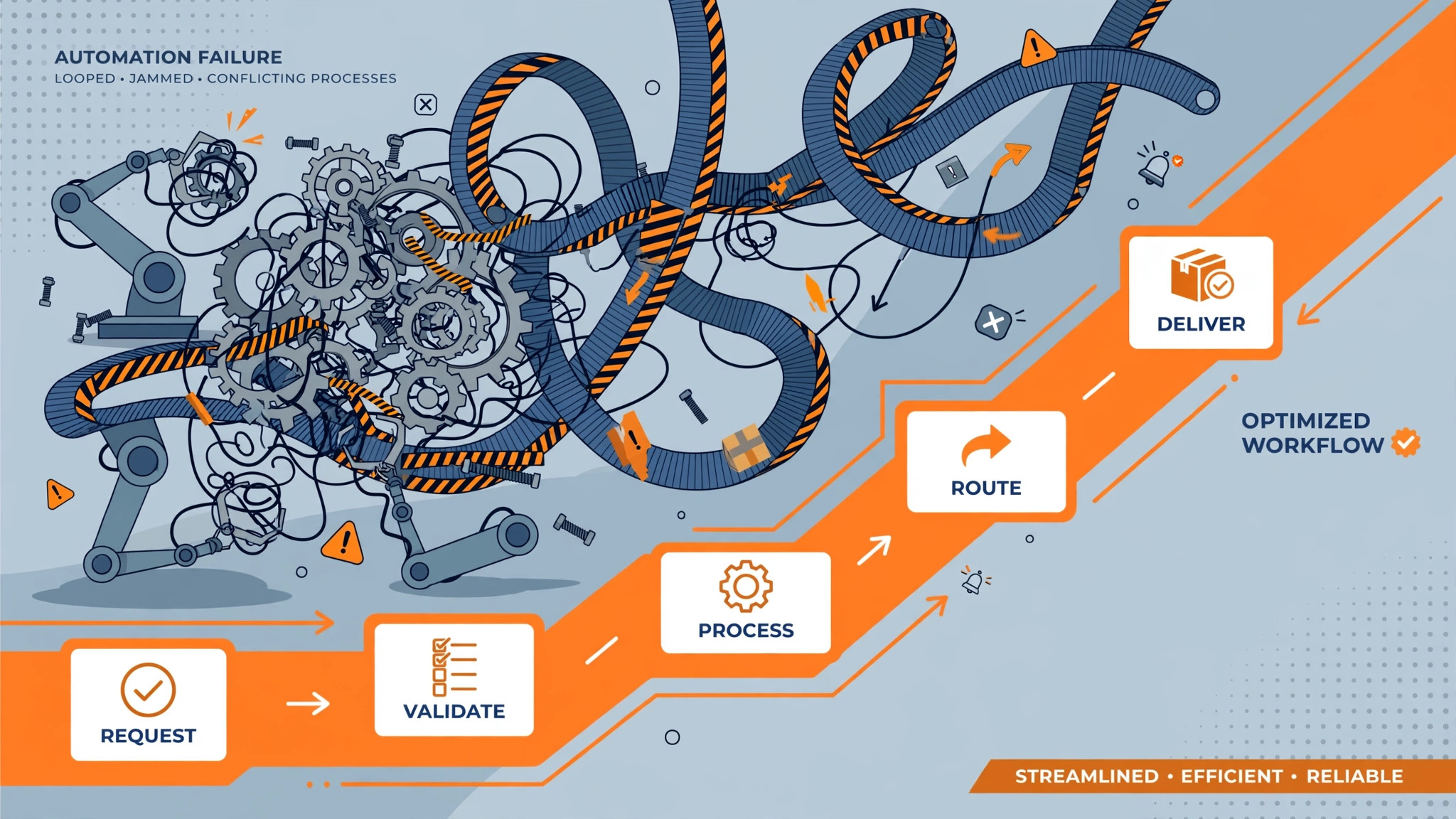
The biggest timeline mistake I see in SAP Business One projects is treating the proposal number like a promise instead of a range. Scope creep, messy data, and slow decisions can easily stretch an 8-week plan into 16 weeks. This post breaks down what actually moves the needle — realistic week-ranges for each phase, the three things that blow up timelines every time, how to compress without cutting corners, and red flags to watch for in a partner's proposal. No fluff, no sales math.
What actually drives the timeline
Most stalled ERP projects aren't stuck on technology. They're stuck on four things:
- Scope. SAP Business One is powerful, but configuring all of it when you need a third of it wastes weeks. Most timeline pain I see comes from scope being too broad, not from the software being slow.
- Data quality. Inconsistent product names, duplicate vendors, five years of spreadsheet history — messy data is the biggest time sink in any rollout. Cleaning it isn't really a "phase." It's a reality check that takes as long as it takes.
- Decision speed. If one approval takes two weeks, the timeline takes two weeks longer. I've watched single sign-off delays add weeks to a rollout. The software was ready. The humans weren't.
- Customization debates. Not customizations themselves — the debates about them. Teams burn weeks arguing whether a field change counts as "custom." Most SMBs need far less customization than they think; the argument costs more than the work would have.
Get scope, data, and decisions right and the timeline mostly takes care of itself.
Realistic phase breakdown
These are honest ranges for a typical SMB — not promises. Your mileage depends on the four drivers above.
Discovery and design (weeks 1–4)
Clarify what you actually need before anyone configures anything. Map your real processes, inventory your data sources, decide what's staying standard, and lock the scope in writing. Teams that rush this phase pay for it twice — once in rework, once in morale. Don't skip it.
Build and configure (weeks 5–8)
Set up the core modules — financials, sales, purchasing, inventory — against the locked scope. Configure tax rules, warehouses, and approval flows. Then test the basic flows early: order to cash, procure to pay. Finding a broken workflow in week 6 is cheap. Finding it in week 17 is not.
Data migration (weeks 9–12)
Clean, validate, then migrate — in that order, with fallbacks. If your data was messy going in, this is where you pay the bill. Reconcile record counts before and after every load. The goal isn't just moved data; it's trusted data on day one.
Testing and training (weeks 13–16)
Run real-world scenarios, not happy-path demos. Then train by role — warehouse staff don't need the financial close walkthrough. Untrained users invent shadow processes within a month, and then you're implementing twice.
Go-live and hypercare (weeks 17–20)
Go live with support standing by, not on vacation. The first two weeks after go-live decide whether the system sticks. Answer questions fast, fix small issues same-day, and resist the urge to add scope during hypercare.
The honest math: clean data, fast decisions, minimal customization — you're looking at 8–10 weeks. Messy data and slow approvals — 16-plus. Both are normal. Only one gets talked about in sales meetings.
The three things that blow up timelines every time
- Dirty data. Inconsistent, duplicated, half-labeled history. Every rollout I've seen underestimates cleanup by half.
- Endless customization debates. The argument about whether something is "standard or custom" routinely outlasts the actual build.
- No internal project owner. Without one person empowered to make decisions, everything queues behind the busiest executive's calendar.
Kill these three and your timeline stops being a fantasy.
How to compress the timeline without cutting corners
- Clean data before configuration starts, not during it. This alone saves weeks.
- Default to standard. Configure the gap list, not the wish list. You can customize in phase two with real usage data.
- Name one decision-maker with actual authority. "The committee will review" is where timelines go to die.
Faster comes from fewer surprises, not fewer steps.
Red flags in a partner's proposal
- "Live in 4 weeks." For a real SMB rollout, that's skipped steps — usually data cleanup and testing. Run.
- "We'll figure it out together." Vague isn't collaborative; it's unplanned. A good partner shows you the phases, the assumptions, and what happens when reality intrudes.
- No mention of your data. If the proposal doesn't ask about your data quality, they haven't thought about the hardest part.
A trustworthy timeline has ranges, assumptions, and an honest list of what could move it. Anything else is a sales number.
The Odoo question
I'll be straight: Odoo is the better fit for some companies. Small team, simple needs, starting from scratch, tight budget — Odoo's modular approach gets you running fast without the weight. But for inventory-heavy SMBs that need tight financial controls, multi-warehouse logic, and audit-grade books, SAP Business One is usually the stronger choice. Pick the tool that fits the business you have, not the one with the slicker demo.
David Strausser, CEO of Dead Brands LLC — ERP consultant specializing in SAP Business One and Odoo.
Book a working session at deadbrands.co and let's scope your timeline honestly.
P.S. — Dead Brands merch: the "Trust the Timeline" tee. For everyone who's ever watched a go-live date move.
#SAPBusinessOne #ERP #Implementation #SmallBusiness #ERPTips